
A step-by-step guide for clients working with a web design or development team
Why This Matters
If your business has a domain and/or website with GoDaddy and you’d like to provide access to your GoDaddy account to manage your domain, hosting, DNS, and/or other settings and configurations, this step by step document will help you perform this action with quickness and ease. Through the built-in “Delegate Access” feature that lets you share access securely without sharing your GoDaddy password and it’s the safest and most professional way to collaborate.
Inviting a Delegate in GoDaddy
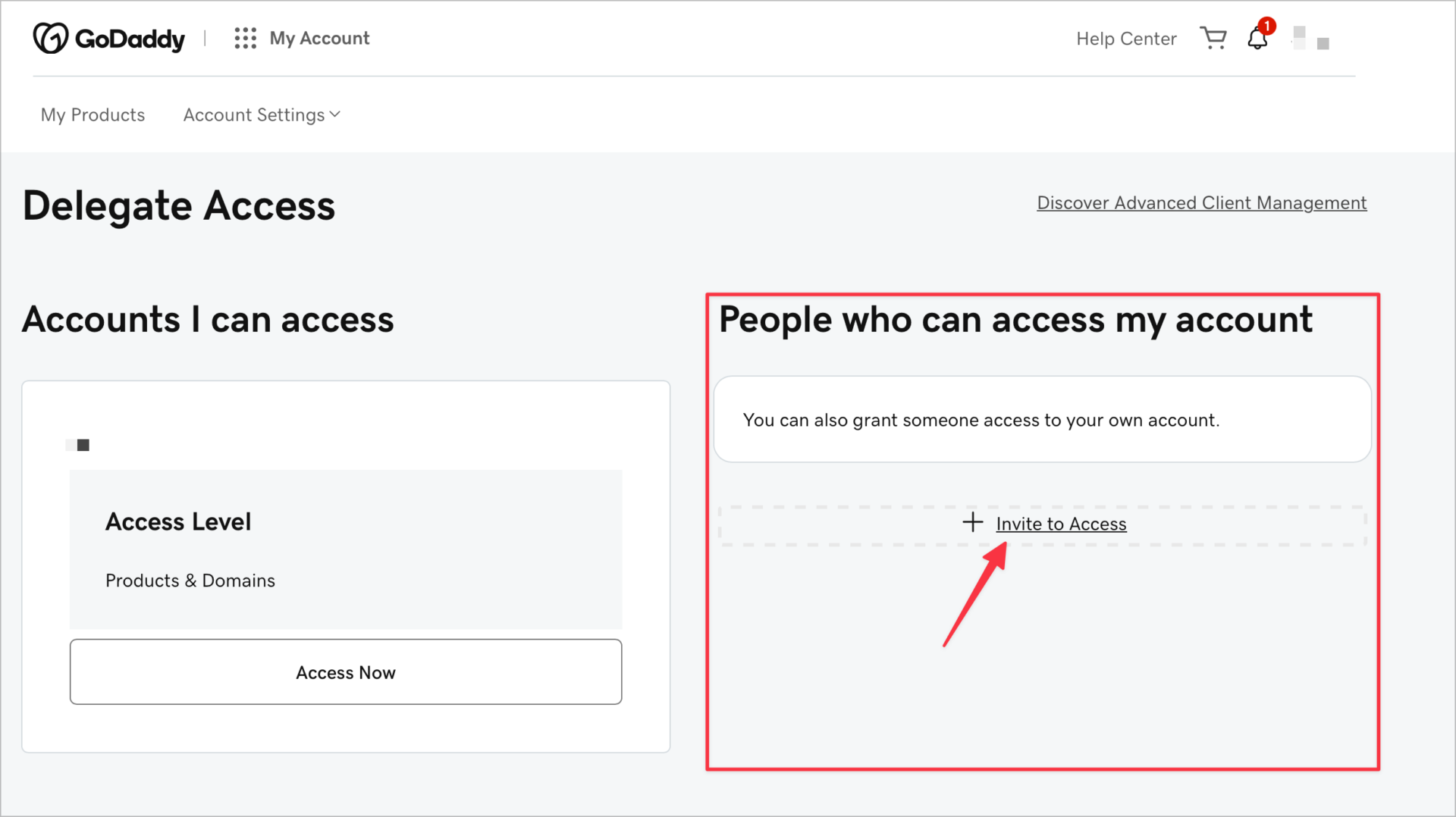
Go to your GoDaddy Delegate Access page. Log in if you aren’t already signed in. You can find this page by searching “Delegate Access” once you’re in your GoDaddy account.
- Find the “People who can access my account” section. Once you’re on the Delegate Access page, look for this section and click “Invite to Access.”
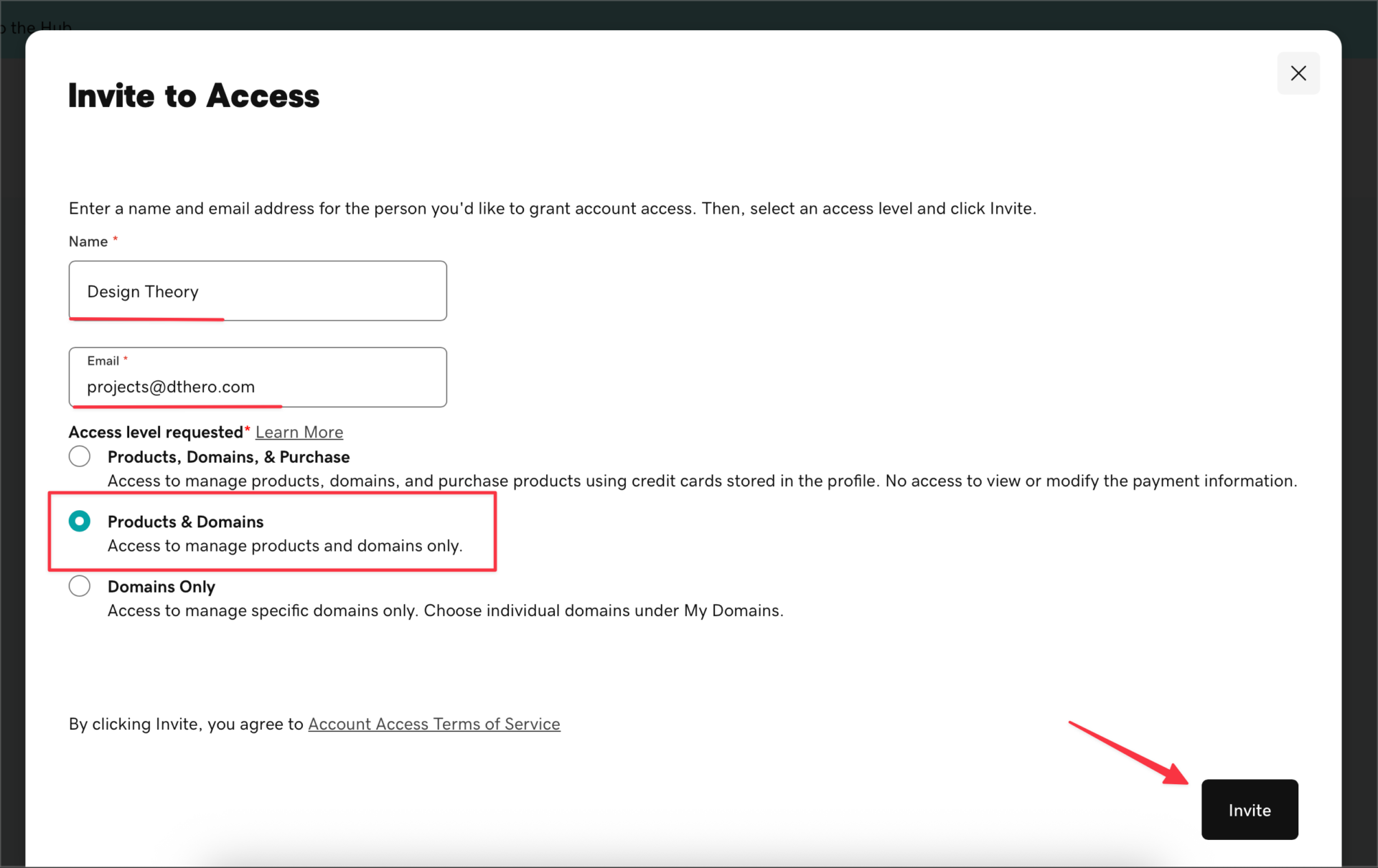
- Enter your agency contact’s name (Design Theory) and email address (projects@dthero.com). Make sure to use the email address associated with their GoDaddy account, or the one they’ll use to create a new one.
- Choose an access level. For us we suggest our clients select “Products & Domains“. If you’re not sure which one to select, ask your agency and they’ll know exactly what they need for the work they’re doing.
- Then click the “Invite” button at the bottom of that window, and GoDaddy will send an email invitation to your agency. Once they accept, you’ll receive a notification confirming their access is active.
A Few Helpful Tips
- You stay in control. Delegate access does not give your agency access to your payment methods, passwords, or personal account settings.
- You can revoke access at any time. Head back to the Delegate Access page and remove the person whenever you’re ready.
- Never share your GoDaddy password. Delegate access is the right way to work — if someone asks for your login credentials directly, that’s a red flag.
- Not sure which email to use? Just ask us and we’ll give you the right address to send the invite to.
Need Help?
If you run into any trouble or have questions along the way, don’t hesitate to reach out. We’re here to make this process as smooth as possible so we can get started on your project right away. Give us a call at 407-490-2425 or visit our Support Center and we’ll walk you through it.