
Inviting a Team Member to your Stripe account is in the following steps:
Once you login to your Stripe Dashboard, you’ll see a Settings cogwheel on the top right of your screen. Click that to then see a full list of Personal Settings, and from there click on “Team and security“.
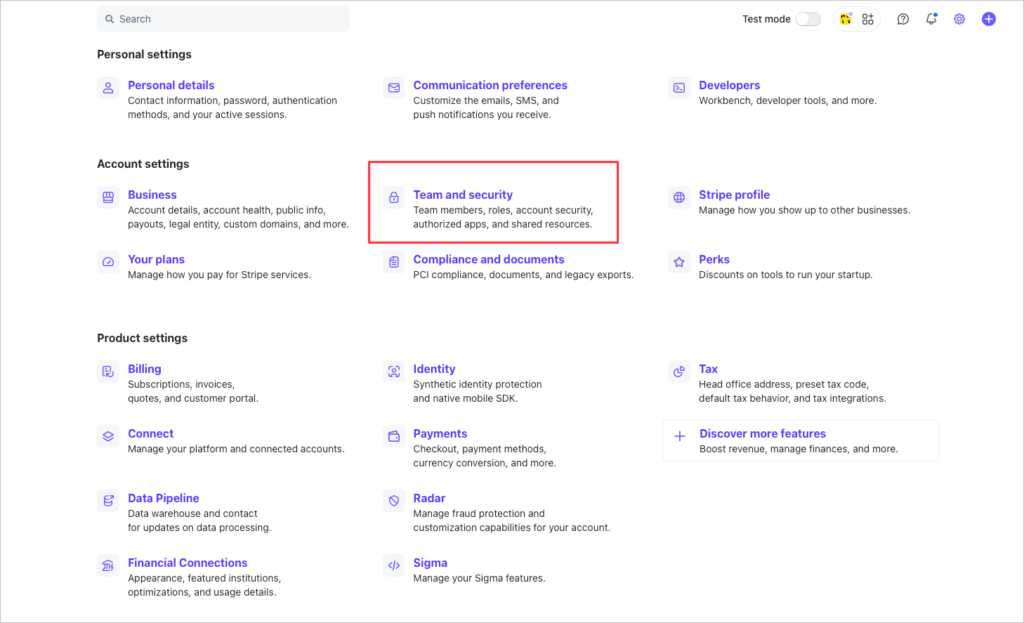
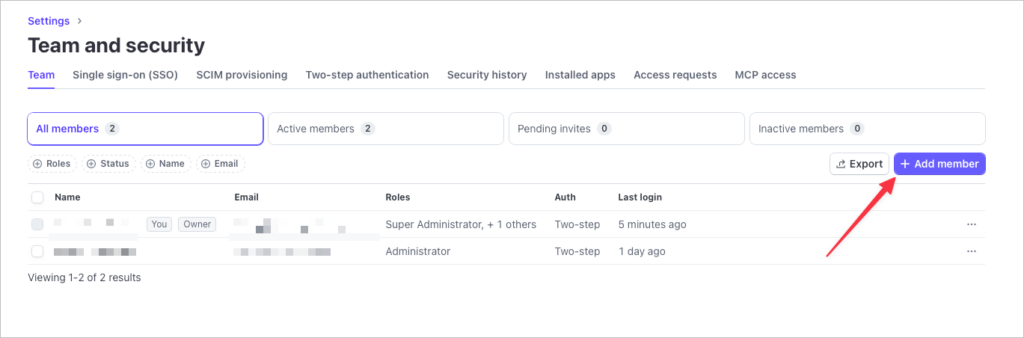
Next you’ll see a small menu that may or may not be populated with members that already have access to your account and what role their level of access is.
Click on the “+Add member” button
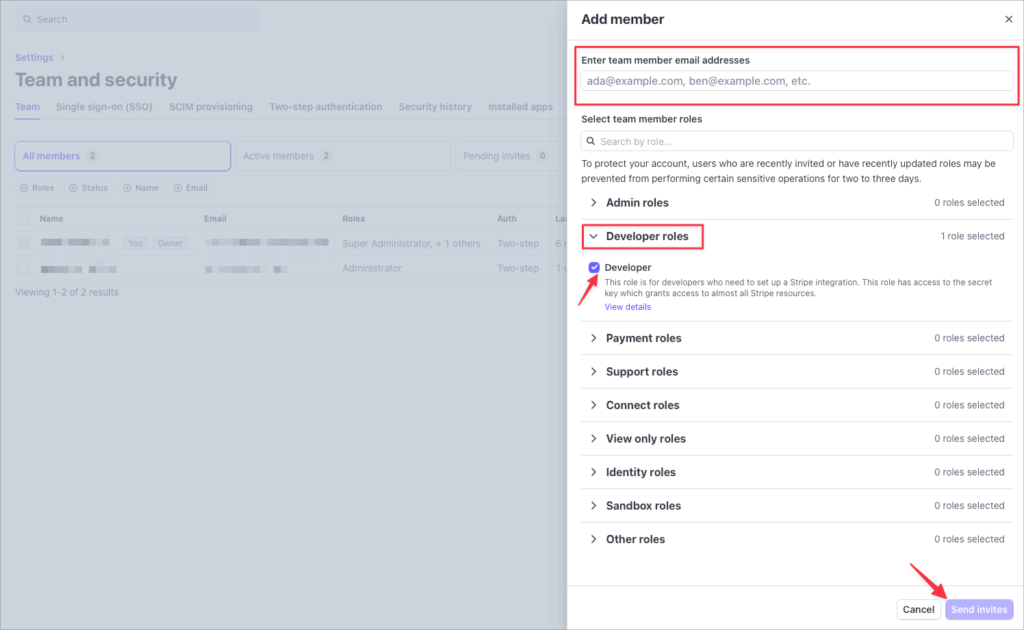
Next step is to add a new Team Member by entering their email address. They should already have a Stripe account, so be sure to confirm and use their email address that is associated with their Stripe account.
For us at Design Theory, we ask that our clients select the Developer roles, and check the box for Developer.
Then click the Send Invites button below.
An email will go out to your new Team Member within a few minutes. If you have any questions or would like our team to help, please click here to visit our Support Page.
To view the support details on Stripe click here.